
Reelway: feel-good clips
TRINEXIS LTDCommunication
3.9645.00 Reviews
- Version
- 10.45.14
- Installs
- 500.00K
- Age Rating
- Teen
Screenshots
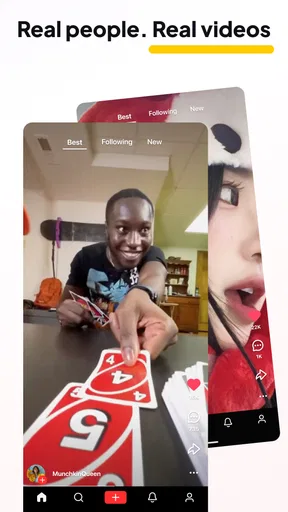



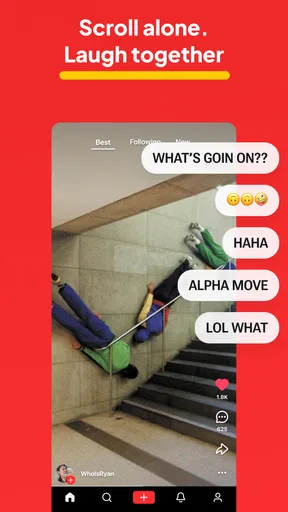


Our Review of Reelway: feel-good clips
 Analysis by Appyee
I spent time with Reelway as a short-video communication app, paying particular attention to how easy it feels to browse, pause, understand, and return to content in different everyday situations. Its basic idea is simple: a feed built around clips from real people, rather than a traditional messaging inbox or a long-form video library. That makes it feel immediate, but it also means the quality of the experience depends heavily on how comfortable you are with fast visual content and an always-moving stream.
The app is free, developed by TRINEXIS LTD, and listed for a Teen audience. It has reached over half a million installs and holds an average rating of 4.1 from roughly six thousand ratings. Those figures suggest a reasonably established audience without making Reelway feel as crowded or mature as the biggest social-video platforms. I see it as an option for people who want a lighter way to discover and share short clips, especially when a conventional chat app feels too text-heavy.
How Reelway feels to read and navigate
When I assess how Reelway feels to read and navigate, I focus on the small choices that make a visual feed easier to manage: knowing when to pause, deciding whether to keep watching, and avoiding rushed taps. I also consider how a person can make the interface fit a brief, intentional visit rather than letting the feed dictate the pace. That becomes especially important when access needs shape how someone uses a phone.
A visual feed that is easy to understand at first
The first thing I noticed is that Reelway communicates its purpose quickly. You open it expecting a stream of short videos, and the interface is built around that expectation. There is less mental preparation than with an app that asks you to choose between chats, channels, groups, stories, and several media types. For someone who prefers learning by seeing rather than reading instructions, that directness is helpful.
The main feed is also a good fit for brief visits. I could open the app, watch a few clips, and leave without needing to organize anything. That matters for people who use their phone in small gaps during the day, such as while waiting for an appointment or taking a short break. The trade-off is that a feed-first design gives you less control than a folder-based video app. If you remember a clip but not the account or the moment when it appeared, finding it again may be less straightforward than locating a saved file in a device gallery.
Text is not the main carrier of meaning here. The clip itself does most of the work, with surrounding labels and controls supporting the viewing experience. That can be easier for users who find dense written interfaces tiring, but it creates a different dependency: the video needs to be visually understandable, and any spoken explanation may be difficult to follow without additional context.
Practical habits for clearer browsing
I found it useful to treat the feed as a place for discovery rather than as a dependable archive. When something genuinely matters, I would avoid assuming that I could reconstruct the same sequence later. A simple habit is to pause before moving on and decide whether the clip is worth sharing immediately. This is a small but important workflow difference from ordinary messaging apps, where the conversation itself often preserves the context.
Another useful approach is to browse in short sessions instead of letting the feed run in the background. Short-video interfaces can make it easy to lose track of time, and constant movement can become tiring even when each individual clip is pleasant. I would especially recommend this to anyone who is sensitive to visual repetition or who needs a predictable stopping point. A deliberate pause after a few clips makes Reelway feel more manageable than treating it as an endless stream.
The current version is 10.43.11, and the app supports devices running Android 8.0 or later. That broad operating-system requirement makes it practical for people who do not replace their phone frequently, although the experience will still depend on the particular screen, speakers, and performance of the device. On an older phone, short-video browsing can feel less comfortable if loading or transitions interrupt the rhythm.
Where the interface may challenge different readers
People with low vision may appreciate the large visual focus of video, but that does not automatically make every control easy to identify. Small icons, low-contrast labels, or controls placed over busy footage can require extra attention. I would not judge the app only by the size of its videos; the surrounding interface matters just as much when someone needs to pause, move on, or adjust their viewing routine.
Users who process information more slowly may also find the feed demanding. A clip can disappear from attention quickly, and the next piece of content arrives before there has been much time to reflect. Reelway works better for me when I use it actively, pausing whenever I need to inspect something rather than allowing the feed to set the pace. That is a small change, but it turns the app from a rushing sequence into a more user-controlled viewing tool.
Motor, sensory, and communication considerations
I look at motor, sensory, and communication considerations as part of ordinary use, not as an afterthought. A short clip may reduce the commitment of a long video, yet gestures, changing visuals, and reliance on sound can still create friction. I’ll consider practical ways to make the experience more comfortable, and where another communication format may be the kinder choice.
Short clips can reduce effort, but not always
Reelway’s short-form approach has a clear advantage for users who find long videos difficult to sustain. A brief clip can communicate an idea, reaction, or moment without asking for a long uninterrupted session. It can also be easier to share with a friend who has limited time or prefers small amounts of information at once.
However, short does not mean low effort. Rapid swiping, repeated tapping, and frequent decisions about whether to continue can be demanding for people with limited dexterity, tremors, joint pain, or fatigue. If your hands become uncomfortable with repeated gestures, the feed may feel less accessible than an ordinary text conversation. In that situation, a messaging app with slower, deliberate exchanges could be a better fit, even if its content is less entertaining.
I also think about one-handed use. Short-video browsing often encourages a quick thumb gesture, but a person may be holding a rail, carrying a bag, or using the phone with their non-dominant hand. Reelway is most convenient when you can give the screen your full attention and keep your grip steady. It is not an app I would recommend using while walking, crossing a street, or doing another task that requires visual awareness.
Sound, captions, and the limits of visual-first communication
Sound changes the experience considerably. A clip may be enjoyable with audio, but public places, shared rooms, and noisy environments make sound unreliable. I tested the idea of watching with the volume low or off, and the result depends on how much the creator communicates through visuals rather than speech. This is an important distinction for people who are deaf or hard of hearing, as well as for anyone who simply cannot use audio at a particular moment.
I would not assume that every spoken clip is equally understandable without sound. When a video relies on dialogue, music, or an audio reaction, the message can lose much of its meaning if there is no readable alternative. That makes Reelway less dependable as an information source than a text-based platform for users who need complete content in written form. It is better suited to casual visual sharing than to communication where every detail must be available through more than one channel.
For users who are sensitive to flashing, abrupt movement, or loud audio, the unpredictable nature of a public clip feed deserves attention. The next video may have a very different pace or tone from the previous one. I recommend keeping the phone at a comfortable brightness, taking regular breaks, and avoiding the app when you already feel visually overloaded. Those are sensible viewing habits, but they also reveal a limitation: the user has to manage much of the sensory environment personally.
Communication beyond entertainment
Although Reelway sits in the communication category, I would not treat it as a replacement for a dependable conversation tool. A clip can express mood more quickly than a paragraph, and sending something funny or reassuring can be a nice way to maintain contact. For friends who understand each other’s references, the visual format may feel warmer and more spontaneous than a plain message.
For important instructions, appointments, emotional conversations, or accessibility needs, I would still choose a conventional chat app. Text gives both people time to reread, search, translate, and respond carefully. Reelway is strongest when the purpose is sharing a feeling or moment, not when the purpose is preserving precise information. That distinction is easy to miss because the app belongs to communication, but its communication style is informal and highly visual.
Using it in real situations
To judge Reelway’s usefulness beyond casual browsing, I picture the moments when someone might actually open it: a quick check during a break, a clip shared to set a mood, or a visit when audio is inconvenient. Thinking through those situations helps separate a pleasant discovery tool from something you can rely on for a specific task. It also makes clear when a different app would be more dependable.
A realistic everyday scenario
Imagine that I am commuting home and want to send a friend something that captures my mood. I can browse a few clips, find one that feels relevant, and use it as a quick social prompt instead of writing an explanation. My friend can understand the tone immediately, and the exchange feels lighter than a formal update. This is where Reelway earns its place: it helps turn a passing reaction into something shareable.
Now change the situation. I am in a quiet waiting room, my phone is on low volume, and I need to understand every word in a clip. The same feed becomes less convenient. If the message depends on speech and there is no equally clear visual or written path, I may have to skip it. For someone with hearing loss, someone in a noisy workplace, or someone who cannot use audio in public, that is not a minor inconvenience; it can determine whether the app is useful at all.
A third scenario is family communication across different ages. A relative who dislikes typing may find a short video easier to send than a long written message. A younger user may enjoy the fast pace and informal tone. But a family member who prefers predictable menus, saved conversations, or slower interaction may feel that the feed asks them to adapt to the app rather than the other way around. Reelway can connect people, but only when the group is comfortable with its visual rhythm.
When it works better than familiar alternatives
Compared with a standard messenger, Reelway is more immediate and expressive. You do not have to construct a carefully worded message every time; a clip can carry humor, atmosphere, or a reaction in seconds. Compared with a long-form video service, it is easier to dip into casually and less demanding when you only want a quick burst of content.
That convenience comes with reduced control. A traditional messenger is better for finding a specific person and maintaining a clear record. A photo gallery is better for locating media you already own. A long-form platform is better when you want tutorials, detailed explanations, or deliberate playback. Reelway makes the most sense between those options: it is for discovering and exchanging short visual moments, not for replacing every other kind of media communication.
There is also a social trade-off. A short clip can make interaction feel effortless, but it can encourage reactions without much conversation. If you are trying to build a thoughtful discussion, the format may leave you wanting more room. I would use Reelway to open a conversation, then move to a more structured channel when the subject becomes personal, detailed, or important.
Who should try it, and who should skip it
I would recommend Reelway to people who enjoy short videos, prefer visual expression, and want a free way to browse clips without committing to long viewing sessions. It is particularly appealing if you often communicate through humor, mood, or quick reactions. The Teen content rating also gives families a useful reminder that the app is aimed at a more mature audience than young-child media, so parents should consider whether its fast social format suits the individual user.
I would be more cautious if you need reliable captions, strong control over sensory stimulation, or a searchable record of conversations. People who dislike unpredictable feeds may also find the format tiring. If your main goal is private, precise communication, a conventional messenger is the better choice. If your goal is carefully organized video learning, a long-form service will likely serve you more effectively.
The app’s audience is large enough to make the experience feel active, with more than five hundred thousand installs, but I would not choose it solely because of that reach. The important question is whether your friends or the people you want to follow are comfortable with short clips. A communication app becomes much more useful when the people you care about actually use its format.
Remaining barriers and my inclusive verdict
My main reservation is that Reelway places accessibility responsibility largely on the viewing context. The app can be convenient when the screen, sound, pace, and gestures all work for you, but those conditions are not universal. A person may need to pause often, avoid audio, enlarge surrounding text, or use the app only in quiet, well-lit situations. Those adjustments can help, yet they also mean the experience is not equally effortless for everyone.
I would also keep expectations realistic about content discovery. A feed is excellent for unexpected finds, but weaker for predictable routines. Someone who wants the same creator, topic, or communication thread every time may prefer a service with more explicit organization. Reelway feels more spontaneous than methodical, and that personality is both its attraction and its limitation.
My practical advice is to begin with short sessions and test the app in the situations where you genuinely expect to use it: with sound muted, in a noisy place, while holding the phone one-handed, and when your attention is divided. Notice whether you can pause comfortably, understand the important parts of a clip, and return to something you liked. This tells you more than a quick first impression because the app’s strengths are closely tied to your own sensory and motor preferences.
TRINEXIS LTD has made a focused communication app rather than another all-purpose inbox. In my experience, that focus gives Reelway a friendly, low-pressure quality when I want to share a feeling or discover something amusing. It is not the most dependable choice for precise messages, accessible information delivery, or carefully managed media libraries, but it can be enjoyable when those are not the goal.
Overall, I see Reelway as a worthwhile free download for visual communicators who appreciate quick, informal interaction. The 4.1 average from around six thousand ratings reflects a generally positive reception, while the app’s real test is personal: can you comfortably control the pace, understand the content in your usual environments, and use it without unnecessary strain? If the answer is yes, Reelway is a pleasant companion for short, human-centered video sharing. If not, choosing a text-first messenger or a more structured video platform will probably give you a more inclusive and reliable experience.
Privacy and Permissions
See what permissions an app requests and how it handles your data.
- Location
- approximate location (network-based), precise location (GPS and network-based)
- Photos/Media/Files
- read the contents of your USB storage, modify or delete the contents of your USB storage
- Storage
- read the contents of your USB storage, modify or delete the contents of your USB storage
- Wi-Fi connection information
- view Wi-Fi connections
- Other
- view network connections, measure app storage space, full network access, run at startup, control vibration, prevent device from sleeping, install shortcuts, uninstall shortcuts, Google Play license check, read Google service configuration
Verdict
Strengths of Reelway: feel-good clips
- Short, uplifting videos are easy to watch during quick breaks.
- A positive focus helps create a calmer, more enjoyable browsing experience.
- Simple navigation makes discovering new clips quick and intuitive.
- The feel-good theme offers a refreshing alternative to negative social feeds.
- Clips are suitable for sharing with friends and family.
Limitations of Reelway: feel-good clips
- The content may feel repetitive if you prefer varied or more challenging videos.
- Personalized recommendations can take time to match your interests.
- Some clips may be overly sentimental for certain viewers.
- Video playback can use significant mobile data without Wi-Fi.
- The app’s value depends heavily on having a steady supply of fresh content.
Similar Picks in This Category
View All
Google Messages
Google LLC4.6

Gmail
Google LLC4.1

Google Meet
Google LLC4.4

Google Chrome
Google LLC4.1

WhatsApp Messenger
WhatsApp LLC4.6

Carrier Services
Google LLC4.2
Frequently Asked Questions
What is Reelway: feel-good clips?
Reelway: feel-good clips is an entertainment app focused on short, uplifting videos. It is designed for users who want a quick break filled with positive, amusing, or inspiring content rather than stressful news or controversial discussions. After opening the app, you can browse a continuous feed of clips and discover feel-good moments suitable for casual viewing throughout the day.
Is Reelway: feel-good clips free to download and use?
The app can generally be downloaded without an upfront purchase, but availability of certain features may depend on the current version, region, or account setup. Users should check the store listing before installing for information about advertisements, optional subscriptions, or in-app purchases. If you prefer uninterrupted viewing, review the pricing details carefully before confirming any paid feature.
Does Reelway require an account or personal information?
The amount of information required may vary depending on how the app handles viewing, saving, sharing, and personalization features. Some functions may work without creating an account, while others can request sign-in details to synchronize preferences or recommendations. Before registering, it is worth reading the privacy policy and checking which permissions and personal data the app requests.
Can I watch Reelway videos offline?
Offline viewing is not always available in short-video applications, so users should not assume that clips can be downloaded for later playback. Reelway’s functionality may depend on an active internet connection, particularly when loading a personalized feed or refreshing content. If offline access matters to you, check the latest app description and settings to confirm whether saving clips is supported.
Is Reelway: feel-good clips suitable for children?
Although the app’s concept centers on positive and entertaining clips, not every user-submitted or recommended video can necessarily be considered suitable for young children. Content, language, humor, and advertising may vary as the feed changes. Parents should review the platform’s age rating, available safety controls, and privacy settings, and supervise younger users rather than relying only on the app’s feel-good branding.
